
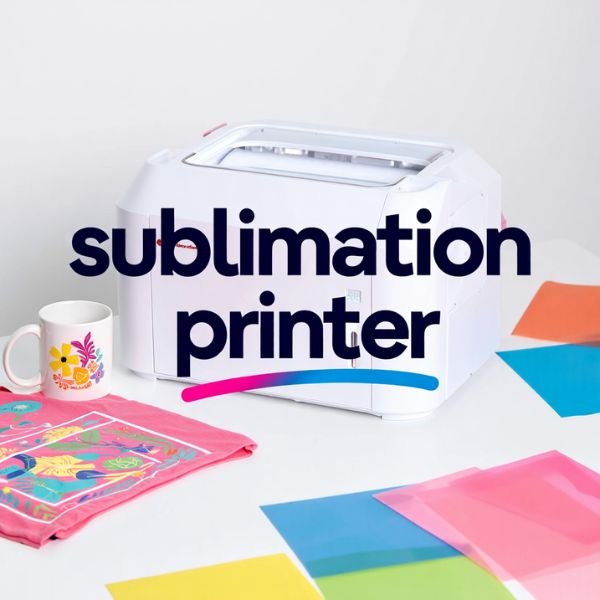
Epson SureColor F170 Dye-Sublimation Printer – PrecisionCore Technology, Full Ink Kit Included
408.99$
Description
The Epson SureColor F170 is a turnkey dye-sublimation printer designed for high-quality custom printing right out of the box. Ideal for personalizing apparel, mugs, mousepads and more, it combines Epson’s precision ink delivery with user-friendly operation. Using advanced dye-sublimation technology, the F170 transfers vibrant, full-color designs onto polyester fabrics and coated substrates with professional-grade results. Its PrecisionCore® microTFP printhead delivers exceptional print quality (up to 1200×600 dpi) for smooth gradients and sharp details.
This Epson sublimation printer includes everything needed to start creating. The package comes with a complete set of genuine Epson CMYK ink bottles (140 mL each), a quick-start guide, and AC power cable. Simply shake the ink bottles, fill each reservoir (black first, then cyan, magenta and yellow), and power on the printer. The F170 will auto-initialize and charge its ink system in about 14 minutes. Once initialized, load your sublimation transfer paper (print-side down) into the 150-sheet tray. The intuitive 2.4″ LCD panel makes it easy to configure settings or run a nozzle check to ensure crisp output.
Benefits of Using This Product
- Brilliant Color & Clarity: Epson’s high-end dye-sub ink and PrecisionCore printhead work together for startling color saturation and contrast. Expect bold, accurate colors that won’t easily fade when heat-transferred.
- All-in-One Convenience: This F170 comes as a true “printer + supply kit”. You get the printer, pre-filled ink bottles, USB/Wi-Fi connectivity, and even a sample of compatible transfer paper, so you’re ready to print immediately.
- Cost Efficiency: With 140 mL ink bottles and an auto-stop feature on each, you replace ink far less often and avoid overflows. The F170’s dye-sub inks deliver more prints per refill than typical cartridges.
- Versatile Printing: The SureColor F170 is optimized for Epson DS Multi-Use transfer paper, producing high-quality images on fabrics and rigid surfaces alike. Use it for T-shirts (50%+ polyester), sportswear, mugs, mousepads, awards and more.
- User-Friendly & Reliable: Its compact size and simple controls make it friendly for beginners and pros alike. Plus, Epson’s world-class support and a 1-year warranty mean peace of mind.
Specifications
- Print Technology: PrecisionCore microTFP® dye-sublimation inkjet.
- Resolution: Up to 1200 × 600 dpi.
- Ink Type: 4-color dye-sublimation ink bottles (Epson T49M, 140 mL each).
- Media Support: Epson DS Transfer Paper (multi-use). Supports sheets from 3.5″×5″ up to 8.5″×14″. 150-sheet front-loading tray.
- Connectivity: USB 2.0, Wireless 802.11 b/g/n (Wi-Fi Direct) and Ethernet (10/100 Mbps).
- Compatibility: Windows 7/8/8.1/10 (32/64-bit), Mac OS X 10.6–10.15. Does not support printing directly from mobile devices.
- Display: 2.4″ color LCD with navigation buttons.
- Dimensions: 14.8″ × 19.8″ × 7.4″ (W×D×H). Weight: ~10.2 lbs.
- Power: AC 100–240 V, 50/60 Hz; Approx. 13 W printing, 0.7 W sleep.
- Warranty: 1-year limited with toll-free support.
How to Use / Installation
- Unbox and Prepare: Remove all packaging and blue tape. Open the top ink cover. Shake each ink bottle 15 times and fill the corresponding color slot (each bottle fits only its color).
- Power On & Initialize: Close all covers and connect the power cord. Hold the power button for a few seconds to turn on the printer. Select your language when prompted. The printer will then prompt you to charge the ink—confirm to start the ~14-minute automated ink initialization. Do NOT unplug or open the cover during this process.
- Install Drivers: Meanwhile, on your computer download and install the Epson SureColor F170 printer driver from Epson’s website. This ensures your computer can communicate properly with the printer. (The F170 cannot print from smartphones; it requires a connected PC/Mac.)
- Load Sublimation Paper: After initialization, open the front paper tray. Adjust the blue paper guides to fit letter-size or 8.5″×14″ transfer paper. Place your sublimation paper print-side down (coated side up) into the tray. Close the tray and confirm on the LCD to continue.
- Perform Nozzle Check: The printer will print a nozzle check pattern. Confirm the test prints look correct or run a cleaning cycle if needed.
- Begin Printing: Once the printer is set up, use your design software to print to the Epson F170. After printing a design, remember to heat-press the image onto your blank (shirt, mug, etc.) using the appropriate temperature and time settings for sublimation.
Why Choose the Epson F170 Sublimation Printer?
The Epson SureColor F170 stands out as a dedicated 8.5″×14″ dye-sublimation printer engineered by Epson – a leader in printing technology. Unlike DIY inkjet conversions, it is built from the ground up for sublimation. Its PrecisionCore printhead and genuine Epson inks ensure unmatched reliability and color fidelity. You get professional-quality results at a breakthrough price point (MSRP $399) for a complete system.
Epson’s turnkey solution means you don’t need to source aftermarket parts or mix inks; everything is designed to work together seamlessly. Plus, the F170 is energy-efficient and RoHS-compliant for eco-friendly operation. Backed by Epson’s world-class support and warranty, the F170 gives small businesses and hobbyists confidence and quality. In short, choose this sublimation printer to enjoy easy setup, exceptional print performance, and the trusted Epson name on your side.
FAQs
Q: Can I print directly onto fabric with the Epson F170?
A: No – the F170 is a sublimation printer, not a direct-to-garment printer. You print your image onto sublimation transfer paper and then use a heat press to transfer that image onto polyester fabric or polyester-coated items (mugs, tiles, etc.). The heat process causes the ink to sublimate (turn to gas) and bond with the material.
Q: What comes in the box with the SureColor F170?
A: The package includes the Epson F170 printer, four 140 mL ink bottles (CMYK), a power cord, and a user guide (quick-start poster). It does not include paper or a heat press. You’ll need to purchase Epson DS sublimation paper (or equivalent) and a suitable heat press for transfer.
Q: Is the Epson F170 compatible with Mac and PC?
A: Yes. The F170 works with both Windows and Mac computers. Epson provides drivers for Windows 7/8/10 and macOS (up to 10.15). Simply download the driver from Epson’s support site and connect via USB, Wi-Fi or Ethernet. There is no mobile printing option.
Q: How do I refill the ink bottles?
A: Replacing ink is simple: the printer will alert you when a bottle is empty. You then shake the new Epson ink bottle, remove its cap, and insert it into the top of the corresponding ink tank. The auto-stop mechanism prevents overfilling.
Q: Do I need special software or color profiles?
A: The F170 comes with Epson’s print software optimized for dye-sublimation transfers. For best results, use standard RGB images or the manufacturer’s ICC profiles for color accuracy. No additional RIP is required for basic use.
Q: What warranty and support does Epson offer?
A: The F170 has a 1-year Epson limited warranty with toll-free phone support. Epson also offers optional extended service plans for longer coverage. Genuine Epson ink and supplies are recommended to maintain print quality and avoid voiding the warranty.
Final Verdict / Conclusion
The Epson SureColor F170 is an outstanding choice for anyone looking to get into or upgrade their dye-sublimation printing. It delivers brilliant, professional-quality results thanks to PrecisionCore technology and true Epson dye-sub ink. With its included ink kit and easy setup, you can start producing custom T-shirts, mugs, awards and other personalized goods immediately. Its compact desktop design saves space, yet it packs a robust 150-sheet tray and flexible connectivity for busy work. Overall, the F170 offers excellent value and reliability in one neat package – making it a top pick for crafters, small business owners, and creative entrepreneurs seeking a trusted sublimation printer solution.
Related products
-
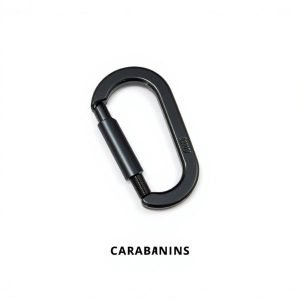
6PCS Heavy-Duty Iron Carabiner Clips – 800lbs Capacity D-Ring Keychain Hooks (Black) Seo tittle: Heavy Duty Iron Carabiner Clips (6-Pack, 800lbs) – Black D-Ring Keychain Hooks
20.09$ -
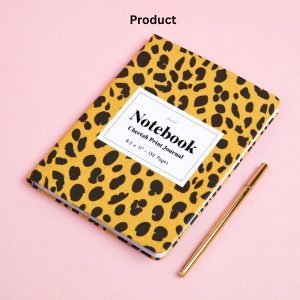
Cheetah Print Leopard Print in a GLOSSY Finish, 8.5″ x 11″, 150 Pages: Super Cute Leopard Print or Cheetah Print Notebook Journal Diary
6.49$ -

Kintsugi Repair Kit Gold, Japanese Kintsugi Kit to Improve Your Ceramic, Repair Your Meaningful Pottery with Gold Powder Medium, Perfect for Beginners Restoring Meaningful Gifts
15.95$
Reviews
There are no reviews yet.