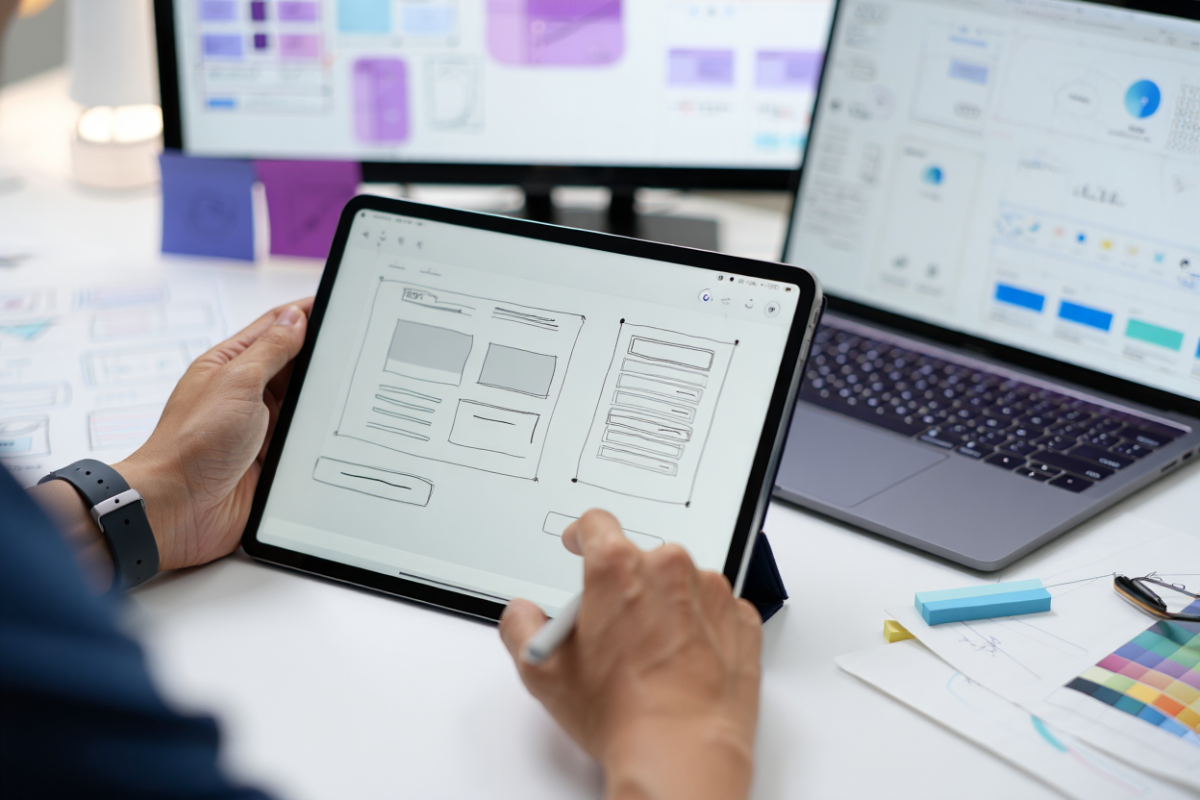
Wireframing tools are essential for design teams to create visual blueprints of apps and websites before adding color or graphics. A wireframe is “a basic visual representation of a user interface” that outlines layout and structure. In other words, a wireframe sketch or mockup shows where elements (headings, buttons, images) will go, without focusing on style. The right wireframing tools make this process faster and more collaborative. For example, designers often start with hand-drawn sketches (as shown below) and then digitize them in software. Tools like Figma and Adobe XD let teams quickly turn these concepts into interactive wireframes with built-in UI components.
Figure: Hand-drawn wireframe sketches on a notebook (UX layout planning)
Wireframes serve as blueprints for developers and stakeholders. According to the Interaction Design Foundation, wireframes “help teams and stakeholders understand the placement of elements” like navigation and content blocks. Because wireframes are quick to create and easy to modify, they “foster collaboration among design teams, developers, and stakeholders”. In practice, using dedicated software – rather than just paper – offers huge efficiency gains. A modern wireframing tool gives you drag‑and‑drop UI libraries, real‑time co-editing, and version control. In fact, product designers report that collaborative tools are now critical: one 2023 survey found Sketch usage dropped from 42% to 31% while Figma usage jumped from 12% to 26%, reflecting a shift toward more connected, cloud-based design platforms. In short, wireframing tools for UX design and UI design save time and keep teams on the same page.
Why Use Wireframing Tools
Using a wireframing tool has many benefits for a design team:
-
Visualize ideas quickly: Wireframes give form to abstract concepts, so teams can “see how elements will work together” on the screen. This early visualization helps catch layout or flow issues before investing in visuals.
-
Spot usability issues early: By sketching layouts, teams can uncover navigation or content problems before coding, saving development time. Fixing issues in the wireframe stage avoids expensive rework later.
-
Boost collaboration: Since wireframes are fast to update, they “foster collaboration among design teams, developers, and stakeholders”. Teams can share, comment, and iterate together. Modern wireframing tools often include real-time co-editing, so everyone can work on the same project at once.
-
Use pre-built UI kits: Many tools include libraries of buttons, forms, and icons. For example, Shopify notes that Figma and Adobe XD reuse design components across projects. This means you can drag-and-drop common elements (menus, buttons) without redrawing them, which speeds up design.
-
Streamline prototyping: Advanced tools let you link wireframe screens into clickable prototypes. You can simulate navigation and basic interactions without writing code.
-
Save time and resources: As the IxDF explains, by identifying problems at the wireframe stage, teams can avoid “expensive changes later in the process”. This efficiency is crucial, especially for large projects or tight deadlines.
In short, wireframing tools are invaluable for UX/UI designers and product teams. They provide a shared, visual “playground” where design concepts are tested and refined.
Key Features to Look For
Not all wireframing tools are the same. When choosing one for your team, consider features such as:
-
Collaboration & real-time editing: Tools like Figma and UXPin allow multiple designers to work simultaneously. This supports remote teams and instant feedback.
-
Cloud-based vs. desktop: Web-based tools (Figma, Lucidchart, Miro) let you access projects anywhere, while installed software (Sketch, Axure) may offer more offline power.
-
Templates and UI libraries: Look for apps with built-in wireframe templates and UI kits for websites or mobile apps. This can include device frames (iPhone, desktop) and common components.
-
Prototyping capabilities: Some wireframing tools double as prototyping tools, supporting clickable flows and animations. Others focus only on static layouts.
-
Platform focus: Certain tools excel at specific use cases. For example, Figma and Sketch are beloved for UI design, while tools like Miro or Whimsical also serve as digital whiteboards for brainstorming.
-
Integration and export: Check if the tool exports assets or design specs for developers, or integrates with tools like Jira, Slack, or design handoff platforms. Adobe XD integrates with Creative Cloud apps, and many tools offer plugin ecosystems.
-
Pricing and free options: Many wireframing tools use subscription pricing. However, several offer free tiers for individuals or small teams. Consider whether you need unlimited projects or just a lightweight plan for early design.
-
Ease of use: The learning curve matters. Tools like Balsamiq focus on simplicity (low-fidelity drag-and-drop), whereas others like Axure or UXPin have steeper learning but more features.
By evaluating these factors, teams can pick the most suitable wireframing tool for their workflow and project type (web, app, UX vs. UI focus).
Top Wireframing Tools for Design Teams
Here are some of the most powerful wireframing tools widely used by design teams in 2025. Each entry includes key features and why a team might choose it:
Figma
Figma is a browser-based wireframe and UI design tool known for real-time collaboration. Multiple designers can edit the same file simultaneously, with changes updating instantly. It features a reusable component system (symbols) so you can create design elements once and use them across projects. Figma excels for UX design and web/app prototypes: it supports responsive layouts for websites and has robust prototyping and commenting tools. Figma offers a free tier (individual plan) and paid team plans. It’s especially popular for cloud-based design and ranks as a market leader (with about 40% share). Wireframing tools Figma gets high marks for its collaboration and constant innovation.
Adobe XD
Adobe XD is a comprehensive wireframing and prototyping tool from Adobe. It offers both vector design tools and interactive prototyping in one app. Key features include Auto-Animate transitions, voice prototyping, and responsive resize for adapting layouts. XD integrates tightly with other Adobe products (Photoshop, Illustrator) for a seamless workflow, as noted by Adobe. Creative teams using Adobe’s ecosystem often prefer XD for this reason. Adobe XD has a free starter plan and paid Creative Cloud subscriptions. It’s used globally by millions of designers. (For example, Adobe reports over 30 million downloads of XD worldwide.) If your team already uses Adobe tools, XD provides familiar interface design for web and mobile apps. Wireframing tools Adobe XD is praised for a unified design/prototype experience and strong developer handoff features.
Sketch
Sketch is a Mac-only UI design and wireframing application with a focus on ease of use and plugins. It was one of the first modern UI tools (launched 2010) and is known for its robust symbols and artboards. Sketch lets you create reusable components (buttons, icons) and polished screen layouts. By itself Sketch doesn’t have real-time co-editing; however, teams often use Sketch with collaboration plugins or services (e.g. Abstract, Plant) to share files and libraries. Sketch’s interface is clean and intuitive for designers familiar with vector tools. It’s widely used for mobile app and website mockups on Mac. Wireframing tools for UI design include Sketch for its simplicity on Mac, but note it requires external solutions for multi-person collaboration.
Balsamiq
Balsamiq is a low-fidelity wireframing tool designed for speed and simplicity. It provides hand-drawn-style UI components (rough rectangles, placeholders) to keep the focus on layout and functionality instead of visual polish. You simply drag elements onto the canvas to sketch interfaces. This makes Balsamiq ideal for early brainstorming and when team members (even non-designers) need to quickly mock up ideas. Balsamiq is available as a desktop app or web app. Pricing is modest (it offers a free trial and pay-per-project plans). Shopify notes that Balsamiq “intentionally keeps things low-fidelity… great for early-stage planning”. Use it when you want fast wireframes without getting bogged down in details. Many teams use Balsamiq for initial conceptual layouts of websites or apps.
Lucidchart
Lucidchart started as a flowchart tool but now includes wireframing capabilities. It offers an intuitive online canvas where you can sketch web pages, user flows, and diagrams side by side. Lucidchart has libraries of UI elements and lets you map out how a user might navigate between screens. A key strength is integration: it connects to Slack, Google Docs, Microsoft Office, and other collaboration platforms to embed wireframes into documents or presentations. Lucidchart has a free tier (limited to a few documents) and affordable team plans. It’s especially handy if your team already uses Lucidchart for flowcharts or org charts. As Shopify points out, it’s “great for mapping what the user interface looks like as a customer moves” through a site. Wireframing tools online often include Lucidchart when teams want an all-in-one diagramming solution.
Whimsical
Whimsical is an online brainstorming and wireframing tool built for speed. In a single app it offers wireframes, flowcharts, and sticky note boards. You can sketch user interfaces using its minimal drag-and-drop wireframe kit. Because everything is lightweight, Whimsical is great for early ideation and collaborative sessions (like virtual whiteboarding). It supports unlimited editors on the same board, so design teams and stakeholders can contribute ideas in real time. Whimsical offers a free plan (up to 4 boards); paid plans are per-editor. Shopify notes it’s “especially handy during brainstorming or early planning” when you just need to get ideas out quickly. Teams often use Whimsical in tandem with other tools – for example, wireframing a page layout, then transferring the approved sketch into a higher-fidelity tool later.
UXPin
UXPin is a powerful prototyping tool that goes beyond basic wireframes. It allows you to build “real, functional components” into your designs, with support for variables, conditional logic, and even importing real data. In UXPin, your wireframe isn’t just a flat image – you can add interactions, form inputs, and logic that simulates how the real app will behave. This is ideal for testing complex user flows in an interactive prototype. For example, you could prototype an e-commerce checkout flow with conditional fields or a login form that validates input. UXPin integrates with design systems and supports high-fidelity visuals too. It has a steeper learning curve and pricing is higher, but UXPin is favored for large design systems or projects requiring advanced prototypes.
Axure RP
Axure RP is an advanced wireframing and prototyping software for complex projects. It lets you design detailed wireframes with rich interactivity: you can add real logic, dynamic data, and conditional actions to each page. This means you can simulate advanced behaviors (multi-step checkouts, dynamic product catalogs, etc.) without coding. Axure also offers built-in documentation for specs, which can help hand off to developers. It’s more complex than most tools and targeted at UX professionals who need robust prototypes. Axure offers free trials and tiered pricing. Teams often use it for enterprise or large-scale products where a high-fidelity prototype is needed before development.
(Additional Options)
There are many other tools in the wireframing space. For example, Marvel and Moqups are browser-based tools for quick wireframes, and Miro or FigJam can be used for collaborative whiteboard-style layouts. InVision Freehand provides shared sketchboards for remote teams. Pencil Project (open source) and Mockflow offer free/low-cost options. The best choice depends on your needs – online vs. desktop, team size, fidelity, and budget.
How to Choose the Right Tool
With so many options, how can a design team choose? Here are some tips:
-
Define your use case: Are you designing websites, mobile apps, dashboards? Some tools have device templates built in (e.g. mobile vs web). Tools like Figma, Sketch, Adobe XD and UXPin cater well to both web and app interfaces. Others (Balsamiq, Lucidchart) are more platform-agnostic.
-
Consider team workflow: Do you need real-time collaboration? If so, cloud tools like Figma or UXPin are ideal. If your team works mostly offline or on Windows, a desktop app might suffice. For remote teams, online tools (Figma, Lucidchart, Miro) improve accessibility.
-
Evaluate fidelity needs: If you only need basic low-fi wireframes, simple tools (Balsamiq, Whimsical) can be faster. For high-fidelity interactive prototypes, look at Axure, UXPin, or Adobe XD. Many teams use a combination: start with low-fi, then refine in a richer tool.
-
Check for free/freemium tiers: If budget is tight or you want to test, several wireframing tools offer free plans. For example, Figma’s free tier allows unlimited personal files, and Balsamiq offers a trial. Early-stage startups or one-person teams can often manage with free versions.
-
Integration and export: If you need to hand off designs, consider tools that export specs or code. Figma, Adobe XD and Sketch have plugins to generate CSS or design tokens. If you use project management tools, check for Slack/Jira integrations.
-
Support and learning: Look for tools with good tutorials or community support. Popular tools have large user communities and templates (e.g. Figma Community, Sketch resources). Some offer onboarding webinars or official training.
By comparing features like these, your team can pick a wireframing tool that fits your project style, platform focus (web vs app), and collaboration needs. Remember that many teams use more than one: for example, sketch ideas in Balsamiq or on a whiteboard, then recreate them in Figma for high-fidelity design.
Frequently Asked Questions
What is a wireframe in design?
A wireframe is a schematic outline of a screen or page layout. It shows where interface elements (titles, text blocks, images, buttons) will go, without details like colors or fonts. Think of it as a blueprint for a website or app. Wireframes focus on structure and user flow. Designers use wireframes to communicate layout ideas and get feedback early, so that developers know what to build. In UX/UI design, creating a wireframe often precedes higher-fidelity mockups or prototypes.
Why use wireframing tools instead of just sketching?
Wireframing tools accelerate the process and enhance collaboration. With software, you have reusable elements (UI kits) and can quickly adjust or duplicate screens. Tools often provide interactive features, letting you link between pages or share with stakeholders online. For example, Shopify’s blog notes that tools like Figma and Balsamiq “offer no-cost plans” and built-in wireframe components. In contrast, sketches on paper are one-off; changes require redrawing. Digital tools also allow version control and easy handoff to engineers. Overall, wireframing software saves time and keeps the team aligned.
Are there free wireframing tools?
Yes. Several popular wireframing tools offer free tiers. For example, Figma provides a free plan with unlimited personal projects, and Balsamiq and Whimsical offer basic free levels. Many paid tools also have free trials or limited-function versions. Shopify’s review notes that while there aren’t fully free unlimited wireframe apps, many top tools have free plans for individuals. If you’re testing ideas or working solo, these free options can be very useful. For team use, free plans might have limits (e.g. file count), so you may eventually need a paid plan for full collaboration.
Is Figma good for wireframing?
Absolutely. Figma is one of the most widely used wireframing tools today. It’s cloud-based and built for both UX and UI design. In fact, Figma holds about 40.65% market share in the design software industry, reflecting its popularity. It allows real-time co-editing and has an extensive library of UI components. Figma’s free tier is also robust. For most design teams, Figma is an excellent choice for both wireframing and prototyping. Its collaborative nature and continuous updates make it a go-to tool in the industry.
What is the difference between a UX and UI wireframing tool?
The terms “UX wireframing” and “UI wireframing” are often used interchangeably, but they can imply focus differences. UX (user experience) wireframing tools typically emphasize user flow and information architecture – focusing on layout and functionality. UI (user interface) wireframing tools may include more visual design elements like styling and interface details. In practice, most modern tools (Figma, Adobe XD, Sketch) cover both aspects: you start with a UX-focused structure, then refine with UI touches. So when people say “wireframing tools for UX design” or “for UI design,” they are usually referring to the same set of tools, just used at different stages.
How should design teams pick a wireframing tool?
Teams should consider their specific needs. Some questions to ask: Do we need real-time collaboration? If so, choose an online tool like Figma or UXPin. Do we prefer desktop apps? Then Sketch or Balsamiq might suit. Are we focused on mobile or web? Look for tools with mobile templates if building apps. Also weigh cost vs. features – smaller teams might prioritize free or low-cost tools. A practical approach is to trial a few tools: for example, one project in Figma, another in Adobe XD, and see which fits your workflow. Remember that most tools offer trial versions.
Conclusion
Wireframing tools are powerful enablers for design teams. By using them, teams can speed up early design, improve clarity, and catch issues before development. The best wireframing tools for design teams provide intuitive UI kits, collaboration features, and prototyping capabilities. Figma and Adobe XD lead the pack for many teams, thanks to their versatility and widespread adoption. However, tools like Sketch, Balsamiq, Lucidchart, UXPin, and Axure each have strengths depending on the project. Key benefits include faster iteration, built-in design libraries, and team-wide feedback.
Choosing the right tool involves evaluating your team’s workflow and project needs. Whichever you pick, aim to embed wireframing early in your process. The result will be clearer design specs, smoother handoffs, and ultimately a better product. In 2025’s landscape of design software, wireframing tools remain indispensable for designers and product teams who want to iterate quickly and collaborate effectively